Sale detection
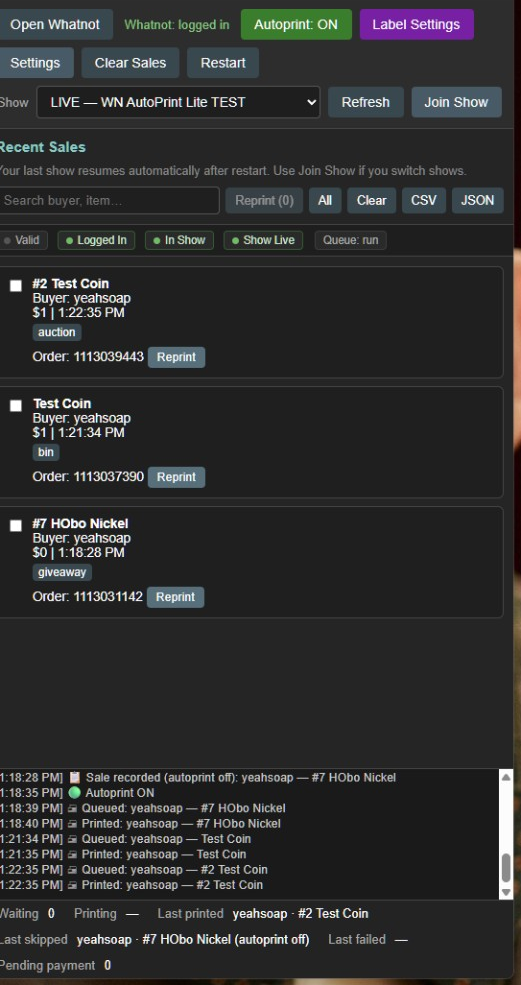
Detects giveaway wins, Buy It Now, and auction payment events from your joined show.
 Whatnot Label Lite
Join your live show, detect giveaway, BIN, and auction sales automatically, and print labels when you need them. Download free — 7-day trial.
Everything you need for a live show — in one desktop app.
A lightweight desktop app that watches your show and keeps labels moving.
Detects giveaway wins, Buy It Now, and auction payment events from your joined show.
Turn autoprint on for hands-free printing, or keep it off and reprint from Recent Sales.
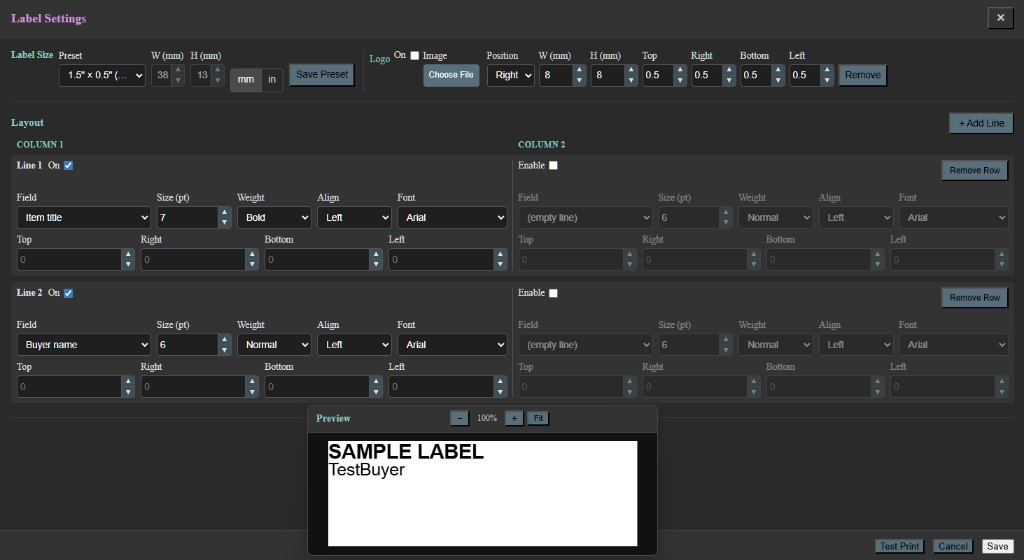
Full label layout settings — buyer, item, price, and your custom fields.
Search, batch reprint, and export CSV or JSON after your show.
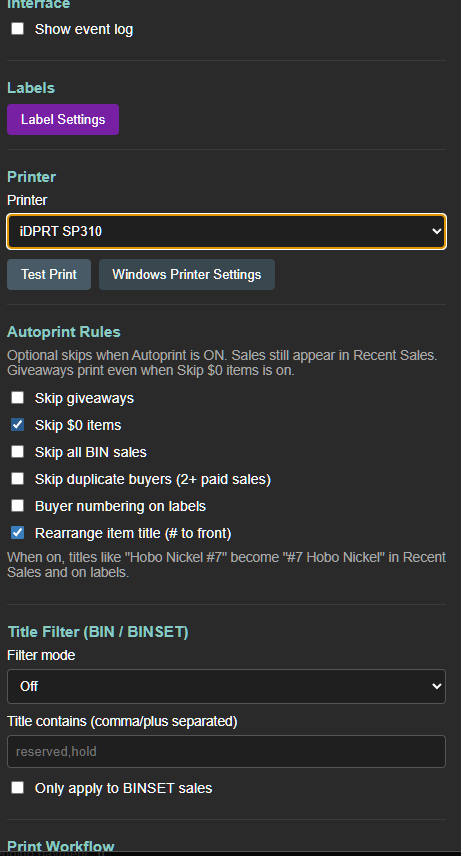
Skip giveaways, zero-dollar sales, duplicate buyers, and more with autoprint rules.
When Whatnot changes event formats, rule patches can update without a full app reinstall.
Setup takes a few minutes before your first live.
One simple plan. Cancel anytime from your account portal.
$10 / month
7-day free trial · then $10/mo with license key
Yes. Download free and get 7 days of full access. After that, subscribe and enter your license key in the app.
No. Try it on a real show first. Subscribe when you are ready — your license key is emailed after checkout.
You host in your usual browser if you like. The app uses its own embedded Whatnot session — click Join Show in the app so it can watch sales for that live.
Yes. Sales still appear in Recent Sales. Autoprint only controls whether a label prints automatically.
Use the Account page to open the billing portal — update payment, view invoices, or cancel.
See the Setup guide for install steps, printer setup, joining a show, license activation, and troubleshooting.
The app ships with built-in rules and can fetch small rule patches from this website. You get fixes without waiting for a full release when possible.